

In short: a payroll register is the monthly sheet that shows, for each employee, what they earned (basic salary, allowances, overtime), what was deducted (GOSI, absence, loan instalments) and their net pay. It is reviewed and approved before salaries are paid and the wage file is uploaded to Mudad. To prepare one: fix the period, update employee data, collect attendance and adjustments, calculate earnings and then deductions, review and approve, then pay, upload the WPS file and post the journal entry.
It is the last working day before payday, close to five o'clock. Attendance has arrived from supervisors in three files, overtime hours in a WhatsApp message, and a new employee's loan instalment is not recorded yet. The finance manager is waiting to approve, and the bank is waiting for the file.
Most payroll errors don't happen in the arithmetic. They happen earlier: an attendance figure copied wrongly, an allowance nobody updated, a GOSI deduction worked out on last year's salary. This guide puts the work into seven steps, gives you a worked example with real numbers, and an Excel template that does the calculation for you.
A payroll register (also called a payroll sheet or salary register) is a table prepared every month, with one row per employee and one column per pay item. For each employee it answers three questions: how much they earned this month, how much is deducted, and how much reaches their account.
It does three jobs in the company:
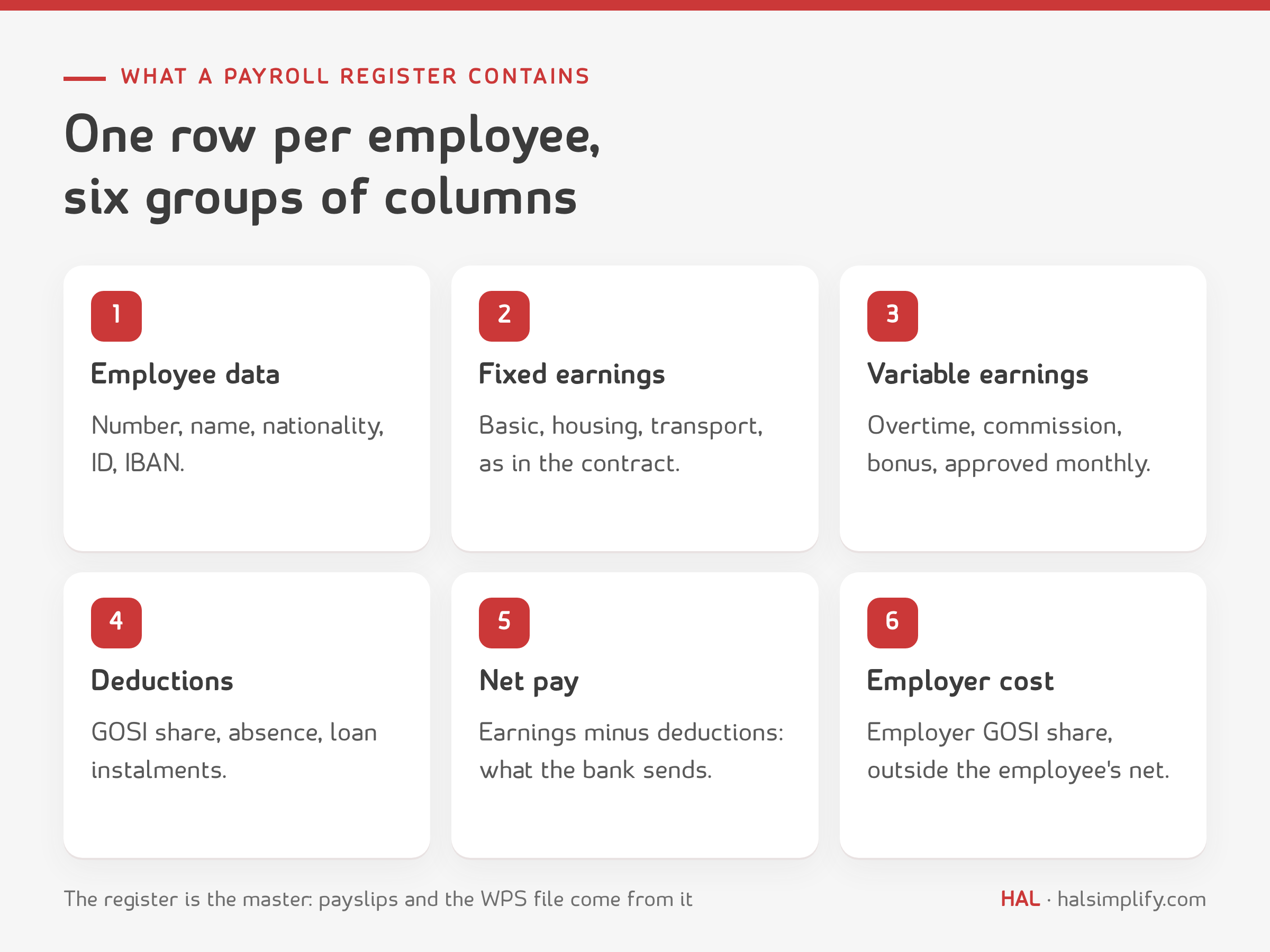
| Group | Columns | Note |
|---|---|---|
| Employee | Employee number, name, nationality, ID or iqama, department, IBAN | Nationality decides how GOSI is calculated |
| Period | Month, start and end date, days worked | For joiners and leavers during the month |
| Fixed earnings | Basic salary, housing, transport, other allowances | As in the contract |
| Variable earnings | Overtime, commission, bonus | Need monthly approval |
| Deductions | Employee GOSI share, absence, loan instalments, other | Within Labour Law limits |
| Net pay | Total earnings − total deductions | The amount transferred to the employee |
| Employer cost | Employer GOSI share | Not in the employee's net, but a cost to the company |
| Approval | Prepared by, reviewed by, approved by, date | The audit trail |
| Payroll register | Payslip | WPS file (Mudad) | |
|---|---|---|---|
| Covers | All employees, one month | One employee, one month | All employees, one month |
| For | Finance and HR, to review and approve | The employee | Mudad and the bank |
| Detail | Every item, deductions and employer cost | The employee's items and net pay | The payment data, in the format the platform requires |
| Order | Prepared and approved first | Produced from the approved register | Produced from the approved register |
The simple rule: the register is the master. The payslip and the WPS file are copies of it for two different readers. If the register is right, both are right.
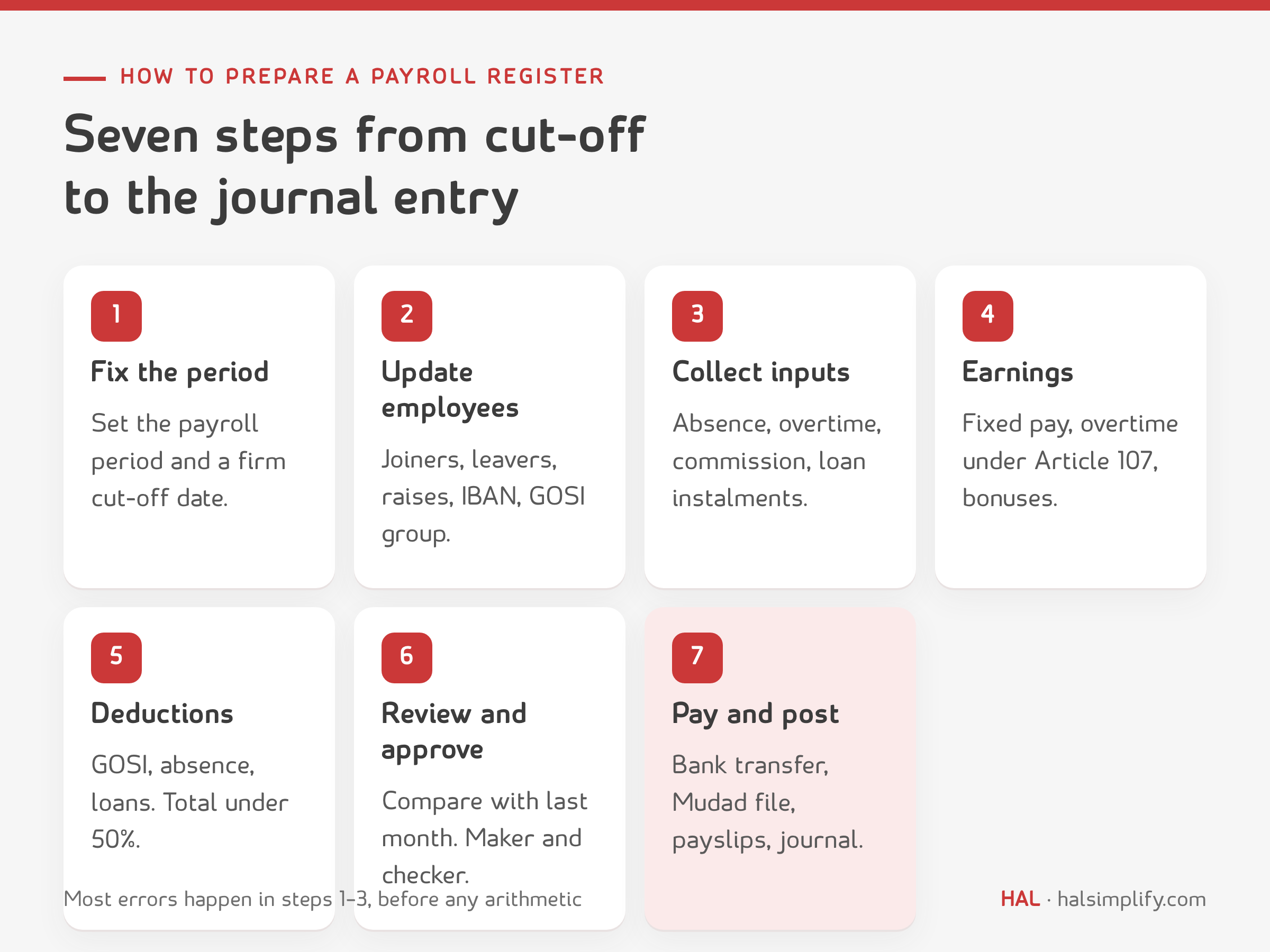
Agree a fixed period: the calendar month, or the 16th to the 15th of the next month, which many companies use to leave time to collect attendance. Set a clear cut-off date. Any attendance or change that arrives after it goes into next month's payroll. A cut-off prevents most last-minute mistakes.
Before calculating anything, review what changed since the last payroll:
From attendance: unauthorised absences, and lateness if your policy deducts it. From leave: unpaid leave. From managers: approved overtime hours, commission and bonuses. From finance: loan and advance instalments. Ask for every input in writing and approved. Don't accept a figure given verbally.
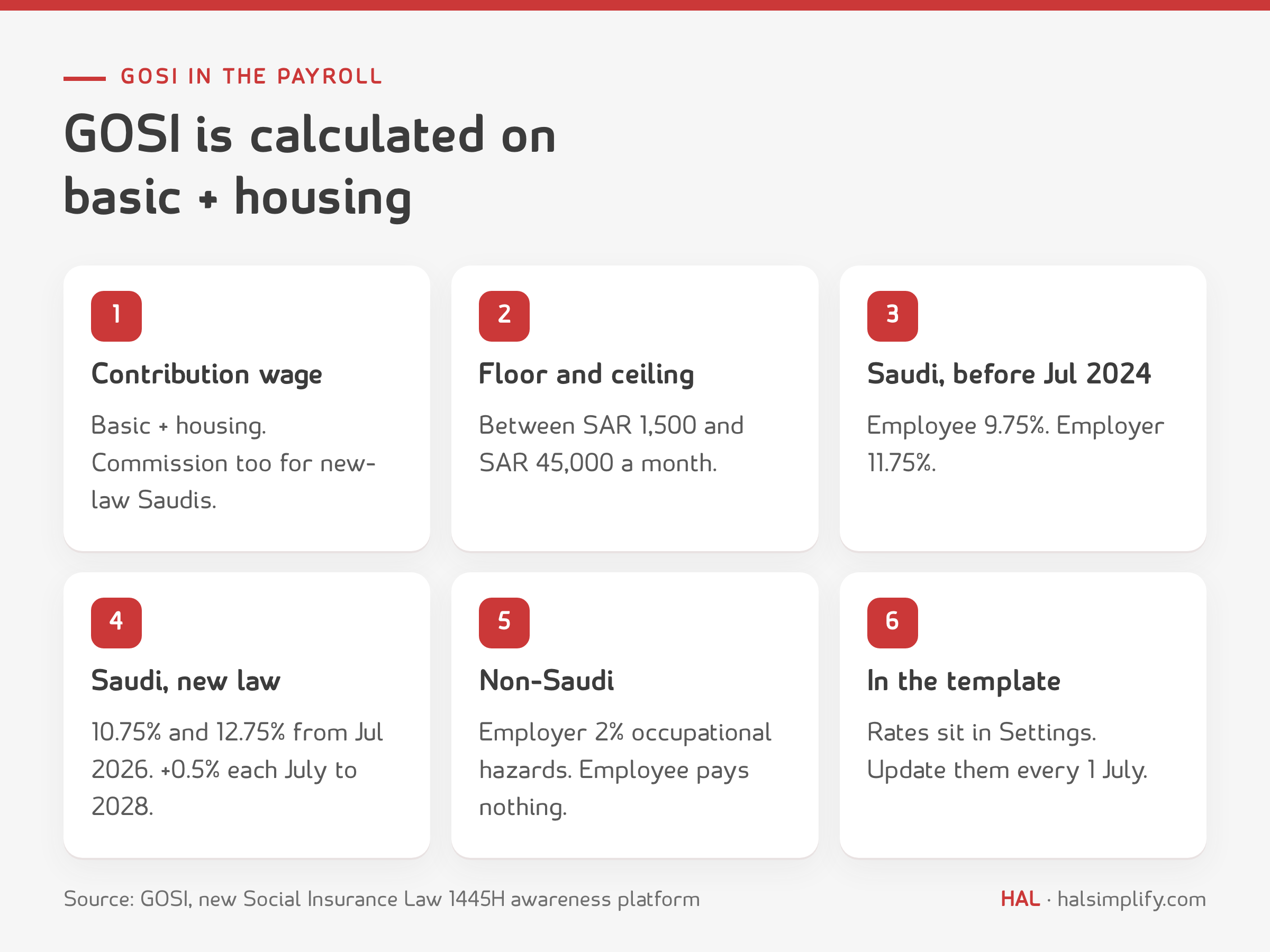
| Employee group | Employee share | Employer share | Notes |
|---|---|---|---|
| Saudi, first registered before 3 July 2024 | 9.75% | 11.75% | 9% annuities + 0.75% SANED; employer also pays 2% occupational hazards |
| Saudi under the new Social Insurance Law (first registered from 3 July 2024) | 10.75% | 12.75% | From 1 July 2026. The annuities rate rises 0.5% every 1 July, to 11% each by 2028. Commission and percentage-of-sales pay count toward the contribution wage |
| Non-Saudi | 0% | 2% | Occupational hazards only |
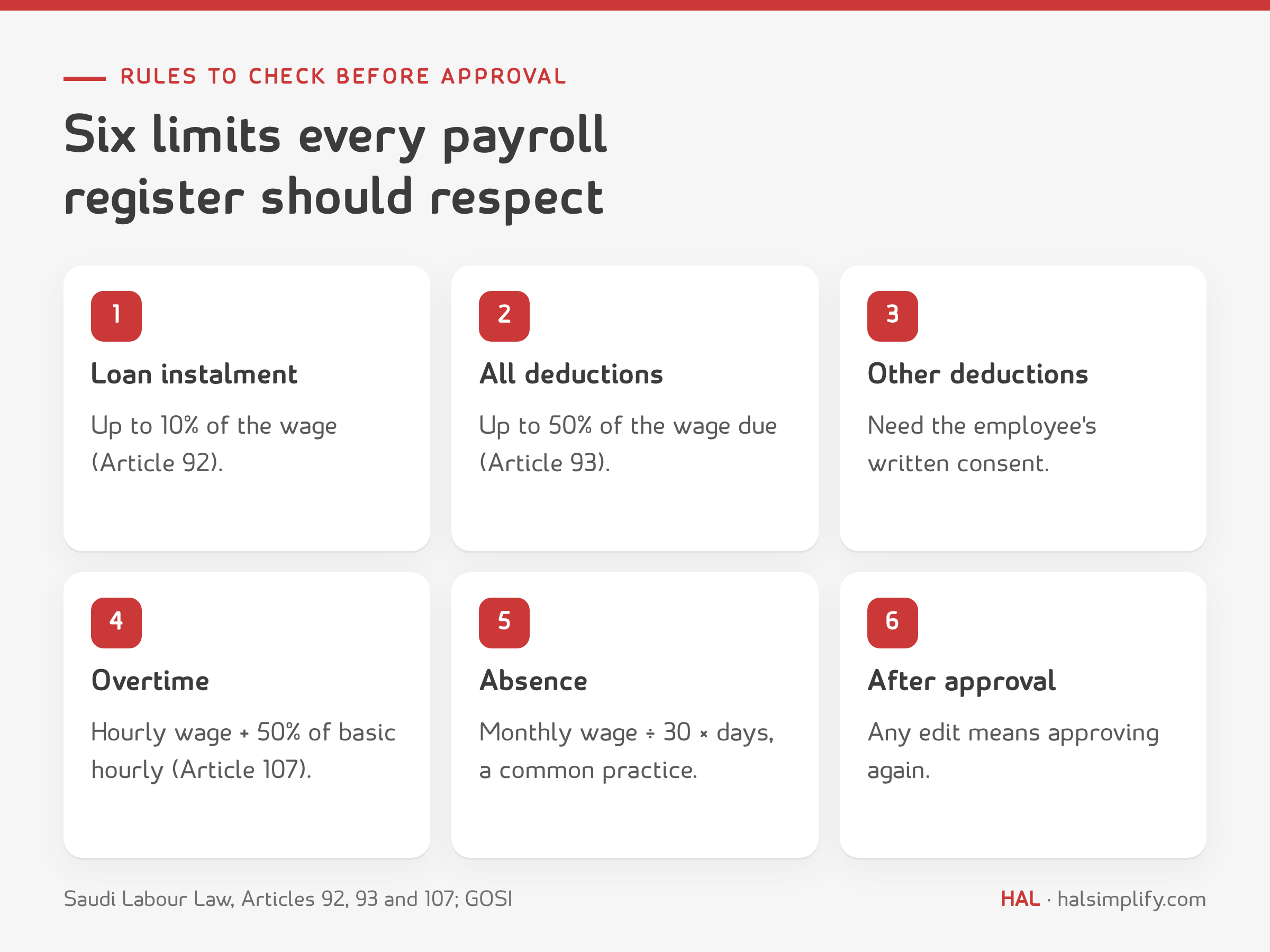
Any other deduction needs the employee's written consent.
Separate the person who prepares the payroll from the person who approves it. Before approving, compare with last month: headcount, total payroll and the ten largest changes. Every change should have a known reason (a joiner, a raise, overtime). Then the HR manager approves the data and the finance manager approves the amounts.
After approval: transfer salaries through the bank, upload the wage protection file to Mudad, send payslips, post the journal entry and file the approved register with its supporting documents. Mudad tracks late salaries and unusual wages, so pay on time and pay the amounts registered in the contracts.
An illustrative example for a trading company in Riyadh. The figures are made up.
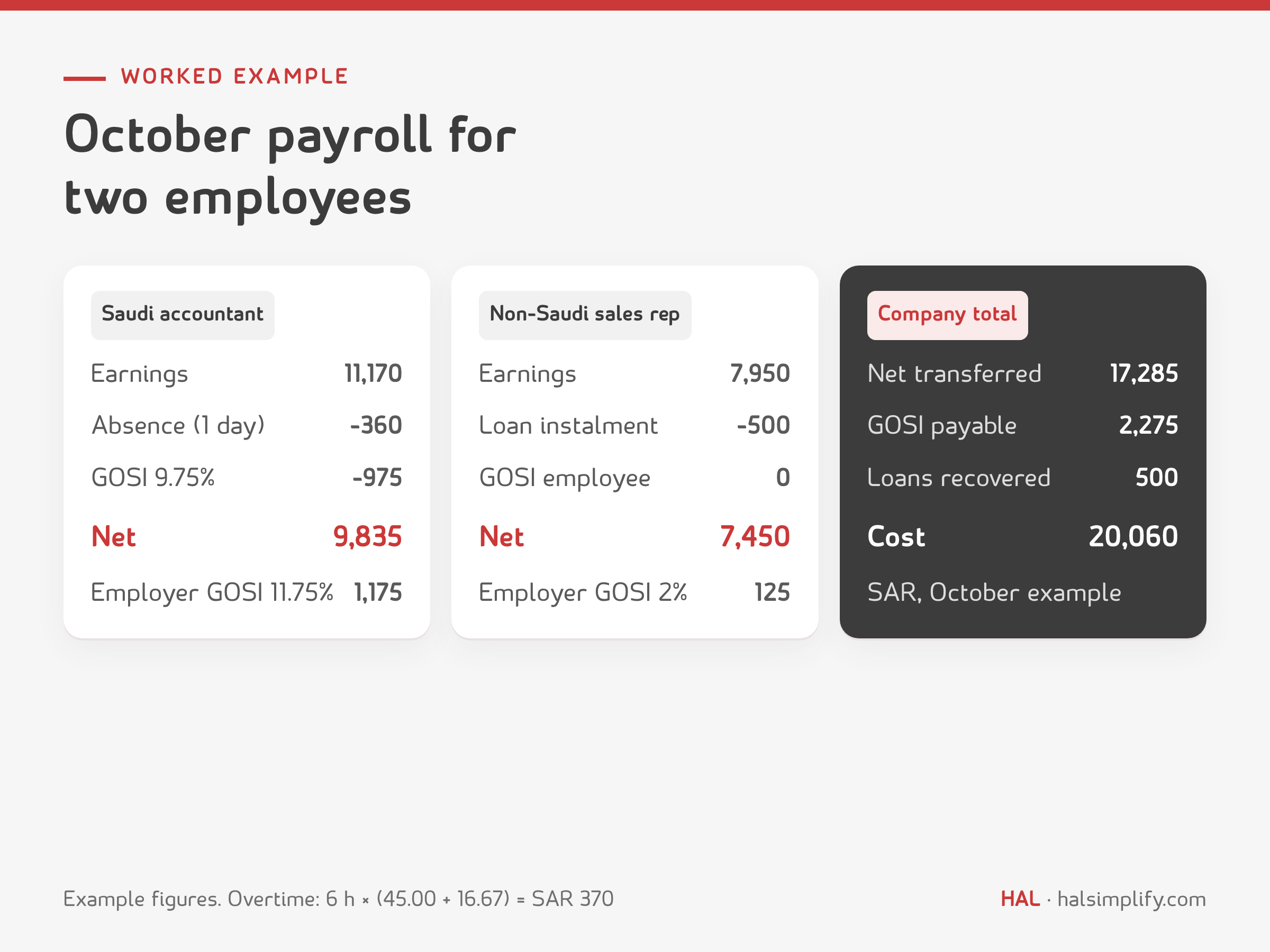
Employee 1: Saudi accountant (registered with GOSI before July 2024). Basic 8,000, housing 2,000, transport 800. Worked 6 approved overtime hours and was absent one day without leave.
Employee 2: non-Saudi sales representative. Basic 5,000, housing 1,250, transport 500. Commission 1,200 and a loan instalment of 500.
| Item | Accountant (Saudi) | Sales rep (non-Saudi) | How |
|---|---|---|---|
| Basic salary | 8,000 | 5,000 | contract |
| Housing allowance | 2,000 | 1,250 | contract |
| Transport allowance | 800 | 500 | contract |
| Overtime | 370 | — | 6 × (45.00 + 16.67) |
| Commission | — | 1,200 | approved |
| Total earnings | 11,170 | 7,950 | |
| Absence deduction | 360 | — | 10,800 ÷ 30 × 1 |
| GOSI (employee share) | 975 | — | 9.75% × 10,000 |
| Loan instalment | — | 500 | below 10% of wage |
| Total deductions | 1,335 | 500 | |
| Net pay | 9,835 | 7,450 | |
| GOSI (employer share) | 1,175 | 125 | 11.75% × 10,000 / 2% × 6,250 |
How the overtime was worked out:
The sales rep's GOSI is calculated on basic plus housing (6,250) at 2%, paid by the employer alone.
Totals:
| Account | Debit | Credit |
|---|---|---|
| Salaries and wages expense (19,120 − 360 absence) | 18,760 | |
| GOSI expense (employer share) | 1,300 | |
| GOSI payable (975 + 1,300) | 2,275 | |
| Employee loans | 500 | |
| Salaries payable | 17,285 | |
| Total | 20,060 | 20,060 |
On the bank transfer: debit salaries payable 17,285, credit bank 17,285. If journal entries are new to you, see debits and credits explained with examples.
Excel is enough when headcount is small and the inputs are simple, as long as the formulas are protected and someone other than the preparer reviews the register. You start to need a system when manual copying piles up: attendance from biometric devices, loans in instalments, different GOSI groups, settlement and leave runs, multi-level approvals. At that point copying figures between files becomes the biggest source of errors.
If you've reached that point, take a look at HAL payroll software. It builds the register from recorded attendance and loans, sends it for approval and posts the entry to the ledger.
Loan instalments are deducted automatically. Step-by-step screens are in the Basic steps for running payroll guide in the HAL Knowledge Base. For a leaver's final dues, use the end of service calculator.
The template:
GOSI rates, days in the month and working hours sit on the Settings sheet, so you can match them to your company. Example rows are marked; delete them and enter your own employees.
A monthly sheet showing each employee's earnings, deductions and net pay. It is reviewed and approved before salaries are paid and the wage protection file is uploaded.
No. The register is the complete internal sheet the company approves. The wage protection file is produced from it, in the format required for upload to Mudad.
On basic salary plus housing allowance, between SAR 1,500 and 45,000 a month. For a Saudi registered before 3 July 2024: 9.75% from the employee and 11.75% from the employer. For a Saudi under the new law (registered from 3 July 2024): 10.75% and 12.75% from 1 July 2026, rising 0.5% each year to 2028, with commission included in the wage. For a non-Saudi: 2% from the employer only.
Under Article 107: the hourly wage plus 50% of the basic hourly wage, for each overtime hour.
Total deductions may not exceed 50% of the wage due without a court decision. Recovery of an employer loan may not exceed 10% of the wage.
The daily wage times the days of unauthorised absence. Most companies take the daily wage as the monthly wage divided by 30.
Yes, for small companies with simple inputs, with protected formulas and a second person reviewing. The free Excel template above calculates the register and applies the Labour Law limits.