
In short: The right contracting software for a Saudi company is the one that runs progress billing (مستخلصات), retention, subcontractors, site materials and labour on every project, and issues e-invoices to ZATCA's requirements, not the one with the longest feature list. This guide helps you choose in four moves: what the software must manage, how to test it in a scripted demo, what it really costs over three years, and the red flags to catch before you sign. A free kit comes with it: a buyer's checklist, a vendor demo script and a total cost of ownership sheet.
Thursday evening in a contractor's office in Dammam. 120 staff, four live projects, and a progress certificate the consultant approved today. The accountant opens an Excel file with fourteen tabs to work out the advance recovery and retention. HR is collecting paper timesheets from the sites to upload the wage protection file on Mudad. The purchasing manager is scrolling WhatsApp for a material request that never arrived. And the owner asks the same question every month: which project is making money, and which one is eating the others?
If that sounds familiar and you are looking at contracting software or construction accounting software, you will find dozens of offers. Most published comparisons are global lists that know nothing about مستخلصات or Mudad. This guide is written for the owner of a mid-size Saudi contractor and focuses on what makes the choice right here: what the software must manage, how to test it, and what it costs. If you want a list of well-known global systems, we have collected the top 12 construction ERP systems.
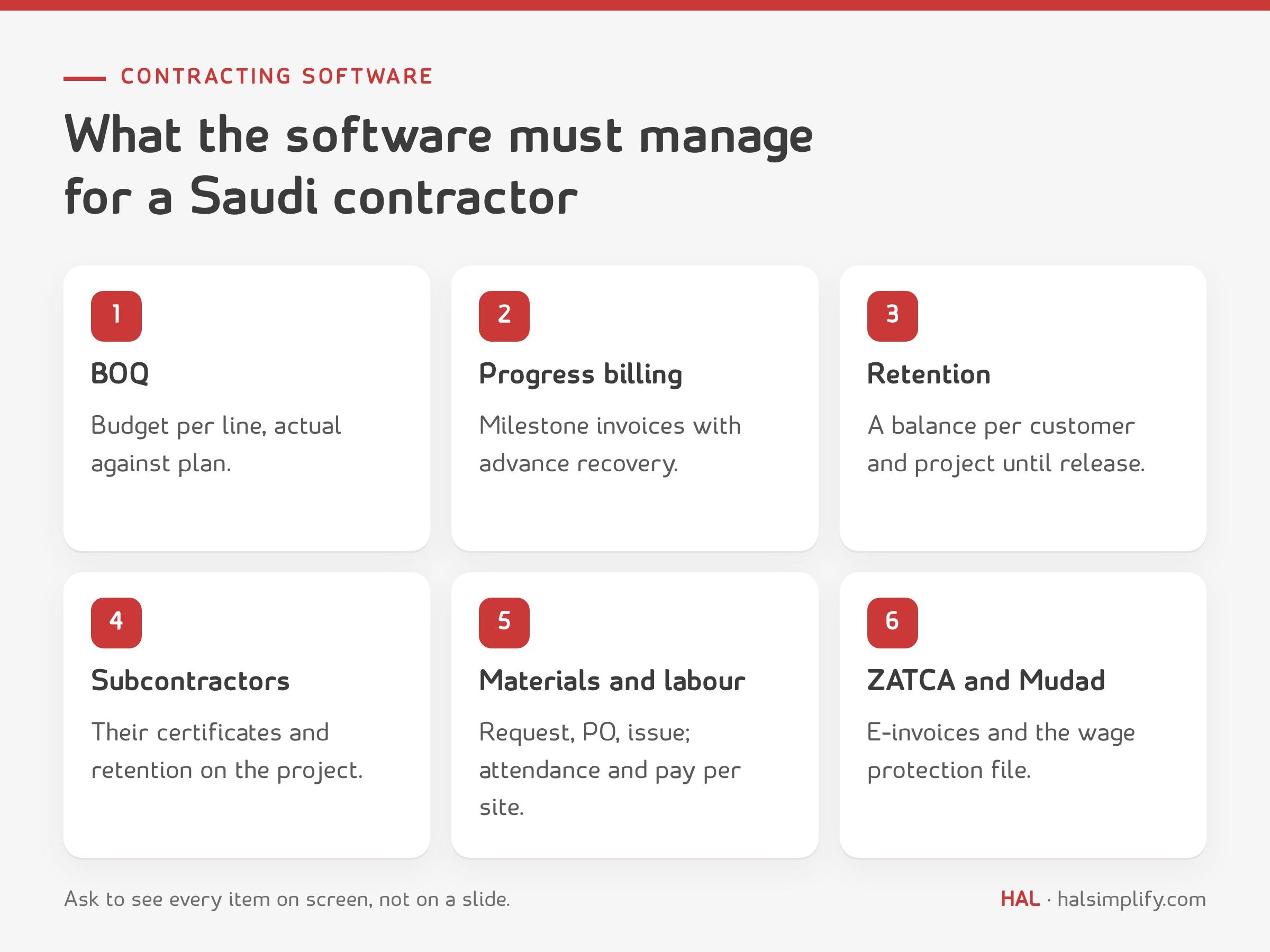
Before you look at any product, write down what your company actually runs every month. For most contractors in the Kingdom it comes to nine areas, and every product you evaluate should answer each one on a screen, not on a slide:
| Area | What the software must do | Why it matters to you |
|---|---|---|
| Bill of quantities (BOQ) and budget | A budget per project and line, actual against plan | You see overruns while they happen, not at handover |
| Cost codes and cost centres | Every invoice, issue note and payroll line carries the project code | Without them there is no project profitability |
| Progress billing (مستخلصات) | Milestone-based invoicing with advance payment recovery | The certificate is your biggest financial document each month |
| Performance retention | A retention balance per customer and project, and release tracking | Large sums get forgotten after handover |
| Subcontractors | Subcontractor certificates and retention, tied to the project | A big cost that is often booked net, which is wrong |
| Site materials | Material request, project purchase order, receipt, issue | Waste and over-ordering never show up in Excel |
| Labour, Mudad and wage protection | Attendance per site, payroll spread across projects, the wage protection file | Wage protection files are uploaded through Mudad |
| Equipment | Cost of owned and hired equipment charged to projects | Part of project cost gets lost between accounts |
| VAT and e-invoicing | VAT on advances, certificates and retention; integration with the Fatoora platform | ZATCA has specific rules for the contracting sector |
The first question is not "which product?" but "which kind?".
A working rule: if you run more than two or three projects at once, with labour moving between sites and subcontractors on the job, you are looking for a construction ERP even if you typed "construction accounting software" into the search box.
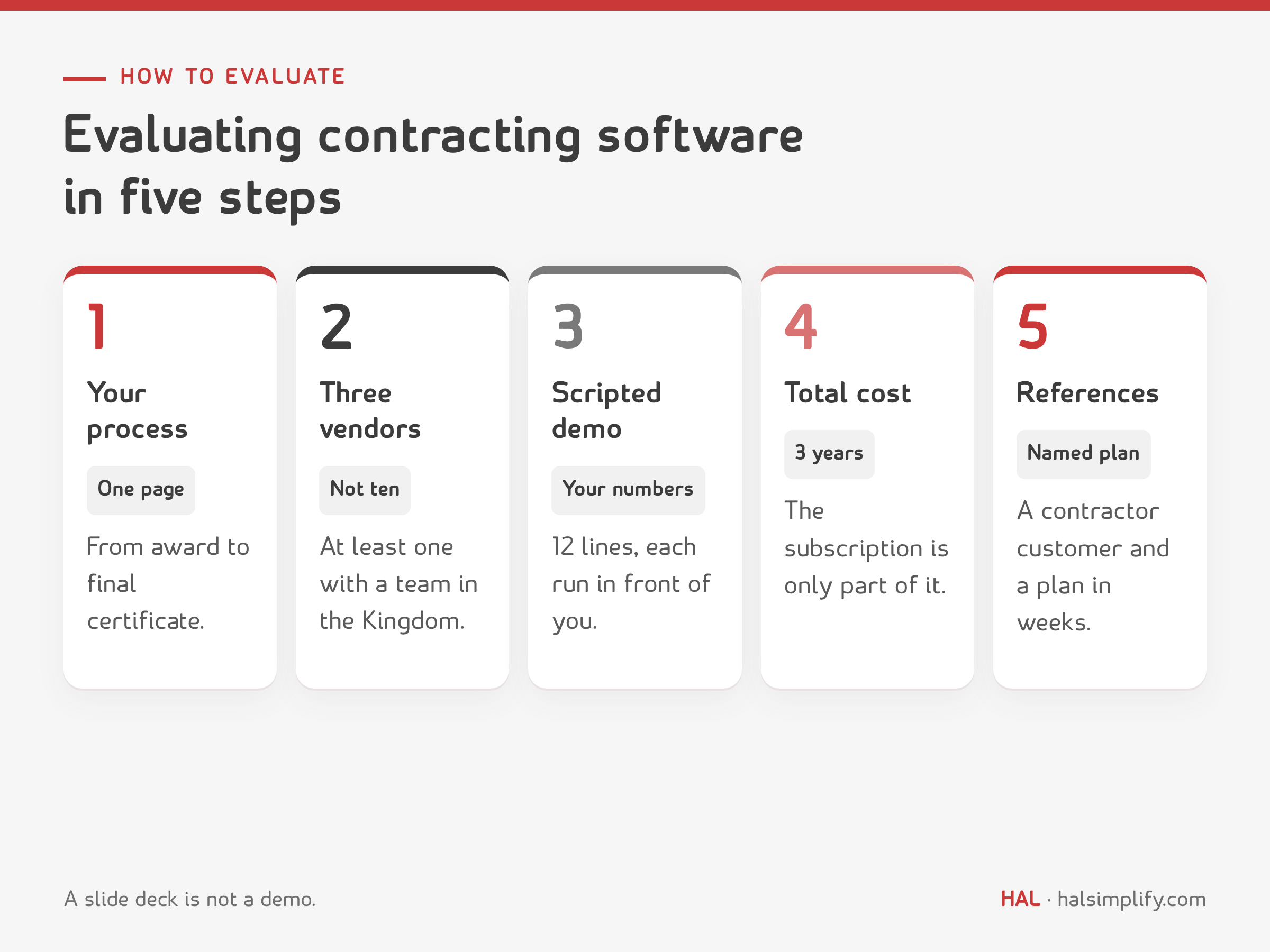
This is the demo script we suggest. Ask for every line to be run on screen, and record for each: passed, partly, not shown.
| # | Ask to see | Passing means |
|---|---|---|
| 1 | A project with a 20-line BOQ and a budget per line | Budget against actual per line in one report |
| 2 | A customer certificate with advance recovery and 5% retention | VAT on the right amount, retention in a separate balance |
| 3 | The tax invoice for the certificate, sent to the Fatoora platform | An e-invoice from the same document, no re-keying |
| 4 | A subcontractor certificate with retention, then the payment | Cost at full value, subcontractor retention visible |
| 5 | A material request from site, approved on mobile, then a project PO | The request is tied to the project and BOQ line from the start |
| 6 | Receipt into the site store, then issue of part of it | Cost hits the project on issue, not on receipt |
| 7 | Moving a worker from one project to another mid-month | Their pay splits across both projects automatically |
| 8 | Payroll and the wage protection file | A file ready to upload, no spreadsheet in between |
| 9 | Project and customer profitability to date | Figures come from the documents entered in the demo |
| 10 | Permissions: a site manager sees only their project | Role-based access |
| 11 | Export of all data to Excel | Your data is yours and comes out complete |
| 12 | The implementation plan and who delivers it | Names, weeks and deliverables per phase |
Software that passes lines 2, 4 and 7 is genuine contracting software. If it stumbles on those, the rest does not make up for it.
The subscription or licence price is what you hear in the first meeting, but it is usually less than half the real cost. Add up these items for each vendor over three years:
On the other side, Excel is not free. It costs your team's time every month and the money that leaks because nobody spotted it.
Assumptions (illustrative, not any vendor's prices; put your own numbers in the TCO sheet in the kit): 120 staff (95 on site, 25 in the office), four live projects, annual revenue SAR 36,000,000, an accountant's working day costing SAR 550 (about SAR 12,100 a month).
First: monthly time spent in Excel
| Task | Working days a month |
|---|---|
| Preparing and reconciling customer certificates (4 projects × 2 days) | 8 |
| Allocating payroll to projects from paper timesheets | 3 |
| Subcontractor certificates (10 × half a day) | 5 |
| Matching site material receipts to supplier invoices | 4 |
| Assembling project profitability at month-end | 5 |
| Total | 25 days = SAR 13,750 a month = SAR 165,000 a year |
Second: annual leakage (cautious assumptions)
| Source of leakage | Assumption | SAR a year |
|---|---|---|
| Variations and extra work never billed | 0.5% of revenue | 180,000 |
| Materials over-ordered or lost and not caught | 1% of materials (40% of revenue = 14,400,000) | 144,000 |
| Retention collected late | A quarter of a 1,800,000 retention balance, 6 months late, at 8% a year financing cost | 18,000 |
| Total | 342,000 |
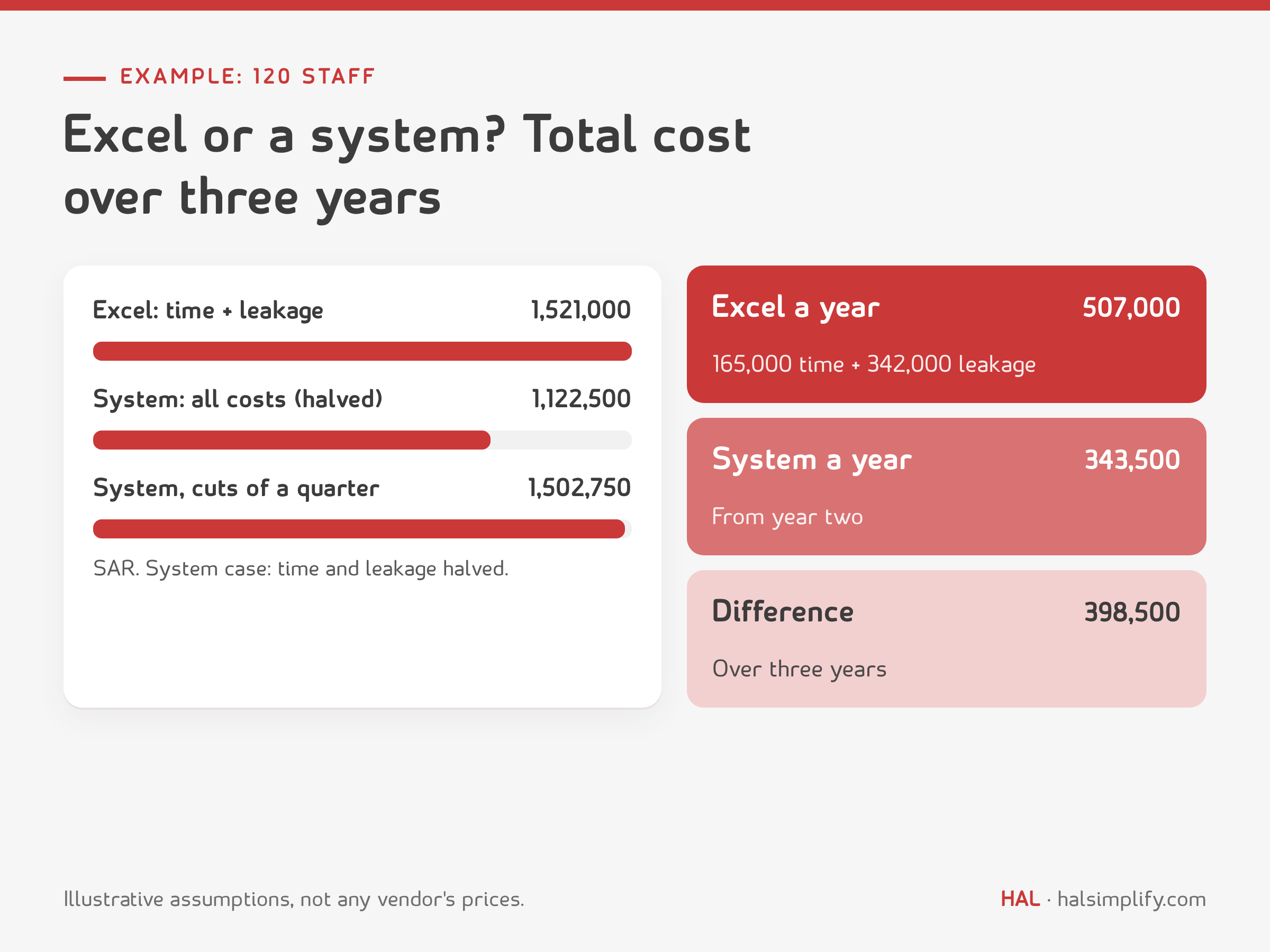
So the hidden cost of Excel in this example is SAR 507,000 a year (165,000 time + 342,000 leakage).
Third: with a system, assuming it halves the time and the leakage, an illustrative subscription of SAR 90,000 a year (30 users × 3,000), and a one-off cost of SAR 92,000 (implementation 60,000 + 40 days of your team's time = 22,000 + training 10,000):
| Item (SAR) | Excel per year | System: year 1 | System: year 2 | System: year 3 |
|---|---|---|---|---|
| Team time | 165,000 | 82,500 | 82,500 | 82,500 |
| Leakage | 342,000 | 171,000 | 171,000 | 171,000 |
| Subscription | 0 | 90,000 | 90,000 | 90,000 |
| One-off cost | 0 | 92,000 | 0 | 0 |
| Total | 507,000 | 435,500 | 343,500 | 343,500 |
Over three years: Excel SAR 1,521,000, the system SAR 1,122,500, a difference of SAR 398,500. But note: if the system cut time and leakage by only a quarter rather than half, the two would come out roughly even (about 1,502,750 against 1,521,000). The decision depends on your assumptions, which is why the kit includes a TCO sheet where you can change every figure and see the result.
For HAL's actual prices, including a plan made for contracting, see the pricing page, or book a demo and ask for the demo script above to be run on one of your own projects.
The kit gives you what you need to apply this guide with your team:
HAL Contracting is built for contractors handling interior, exterior and infrastructure works. It offers milestone-based invoicing, breaks invoices into multiple stages and tracks retainers; it tracks the BOQ and project budgets line by line; it ties material requests and procurement to project-tagged purchase orders; it links attendance and payroll to each project; and it shows profitability at customer and project level. Material requests can be approved on mobile, access is role-based, and the system works in Arabic and English.
According to the HAL Contracting page, implementation typically takes 4 to 10 weeks depending on the size and complexity of your projects, with the team handling data migration and user training. HAL ERP is listed in ZATCA's directory of e-invoicing solution providers for Phase 2. Run the same demo script on it that you run on everyone else.
There is no single best product for everyone. The best for your company is the one that passes a demo script with your own numbers: a certificate with an advance and retention, a subcontractor certificate, a worker moving between two projects, and an e-invoice from the same document, at a sensible total cost over three years.
Accounting software records entries, invoices and VAT, while certificates, payroll and project profitability stay outside it. A construction ERP takes cost from its source (material requests, attendance, subcontractor certificates), so each project's profit appears without manual assembly.
Work out the total cost over three years: subscription or licence, implementation and data migration, training, your team's time, customisation and support. Compare it with the hidden cost of Excel: team time and leakage. In our example for a 120-person contractor, the hidden cost of Excel was about SAR 507,000 a year.
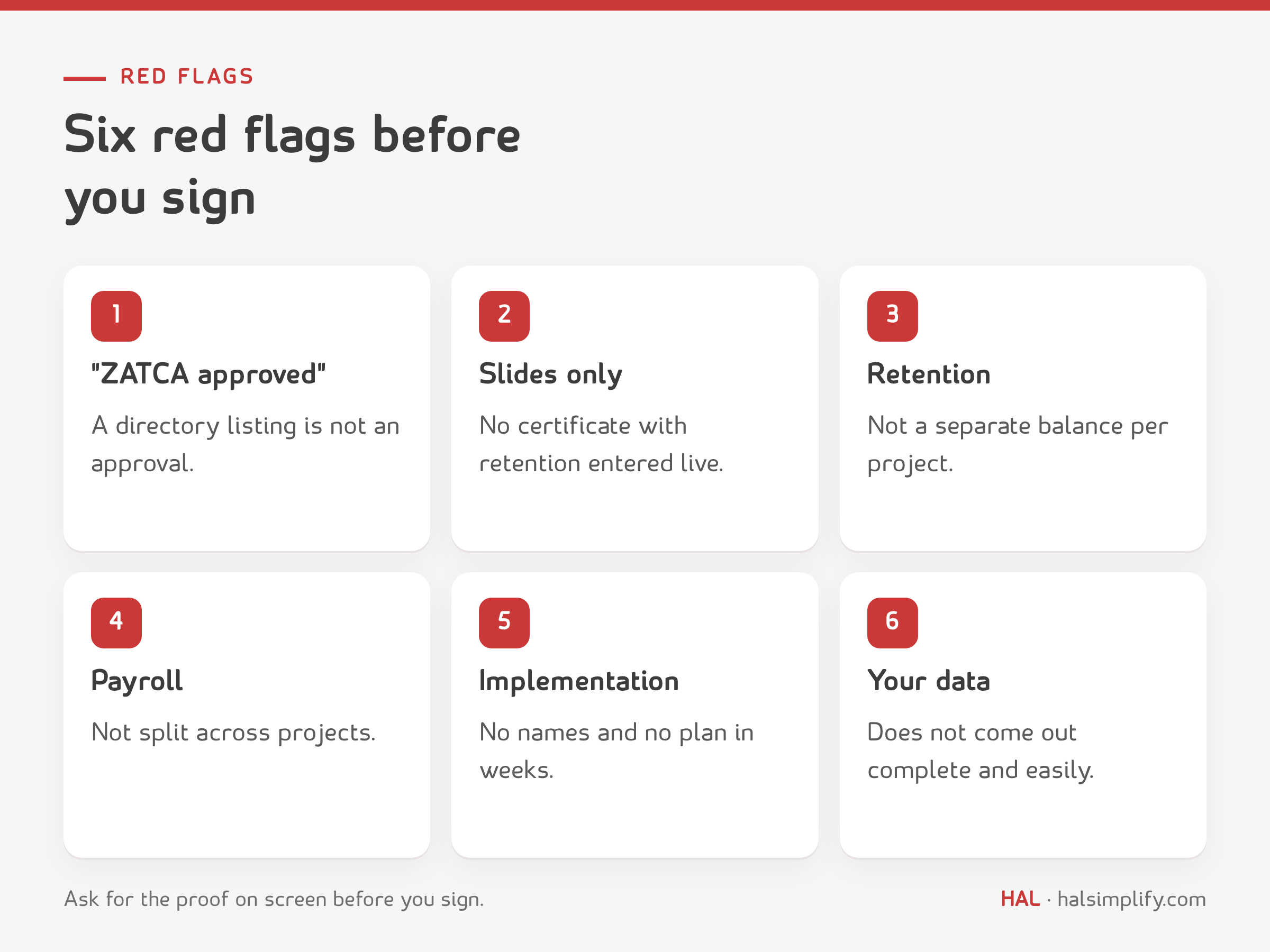
Yes. Certificates and advance payments are invoiced with tax invoices, and Phase 2 of e-invoicing requires integration with the Fatoora platform. Check that the vendor is listed in ZATCA's solution provider directory for Phase 2, bearing in mind that a listing is not an approval.
Ask the vendor to enter, in front of you, a customer certificate with an advance and retention, a subcontractor certificate with retention, a material request from site through to issue, and a worker moving between two projects, then show the project profitability report. The free kit has the full 12-line script.
Yes. The kit (a PDF guide and an Excel workbook) is free; enter your name and email in the form above and it arrives in your inbox.


