
In short: BOQ budget control means no purchase request can leave site unless it points to a line of the approved BOQ and asks for no more than that line has left. A Saudi contractor gets there with a gate: the estimator's budget is loaded, the technical office breaks each BOQ line into the materials it will consume, cost control approves, and the BOQ and budget are locked. Hierarchical cost codes are reused across projects, and a request can only pick an approved line with requested ≤ planned − already requested. Quantity gaps, such as 1,000 m budgeted against a 1,200 m take-off, surface before execution, and any role that can bypass the budget is audited. Below: the gate, the cost codes, the request rule, the approval chain, a gap example and a free BOQ budget control sheet.
Procurement had already ordered 1,000 metres of cable tray for the second tower, exactly what the budget said. In month seven a site engineer sent a request for 200 metres more. Nobody had made a mistake in the field: the technical office's take-off from the shop drawings had said 1,200 metres since month two. The budget had been loaded from the tender estimate and never compared with it. The 200 metres were bought anyway, the cost hit a line with nothing left on it, and the project margin dropped in a report nobody read until the quarter closed.
The money did not leak at the supplier. It leaked in the gap between the budget, the BOQ and the purchase request, three documents that had never been tied together.
When the BOQ lives in Excel and requests live in email, these things happen on every site:
None of this is fraud. It is what happens when the three documents are separate and the check is a person's memory.
The contractor's rule is that the system starts at contract signature, and nothing is bought until the gate is closed:
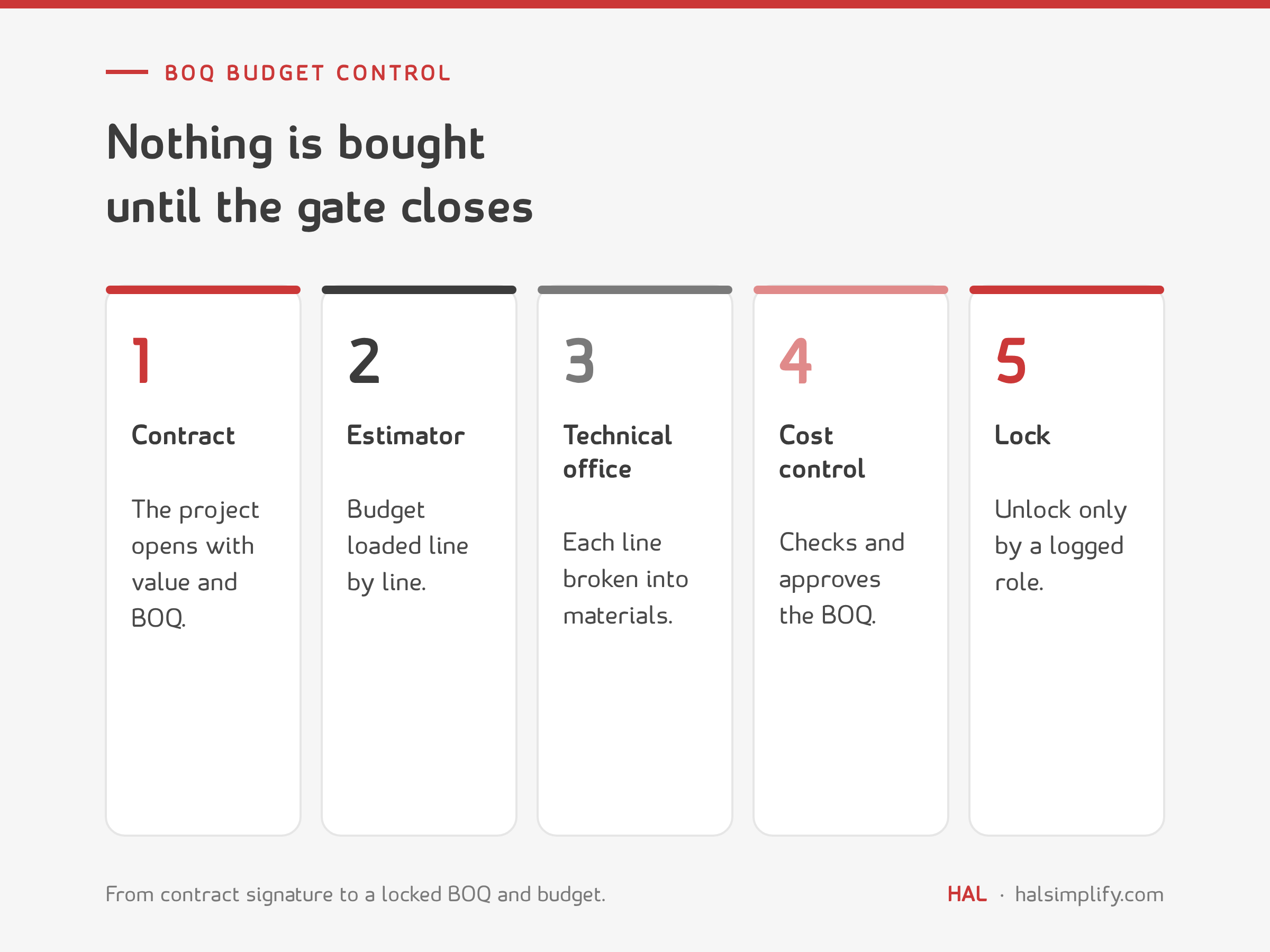
From here on, every purchase request draws from the approved BOQ. For the basics of how a BOQ is built, see our guide to BOQ in civil engineering.
Give the whole company one set of cost codes and reuse it on every project. The contractor uses a hierarchy: a trade at the top and the element below it.
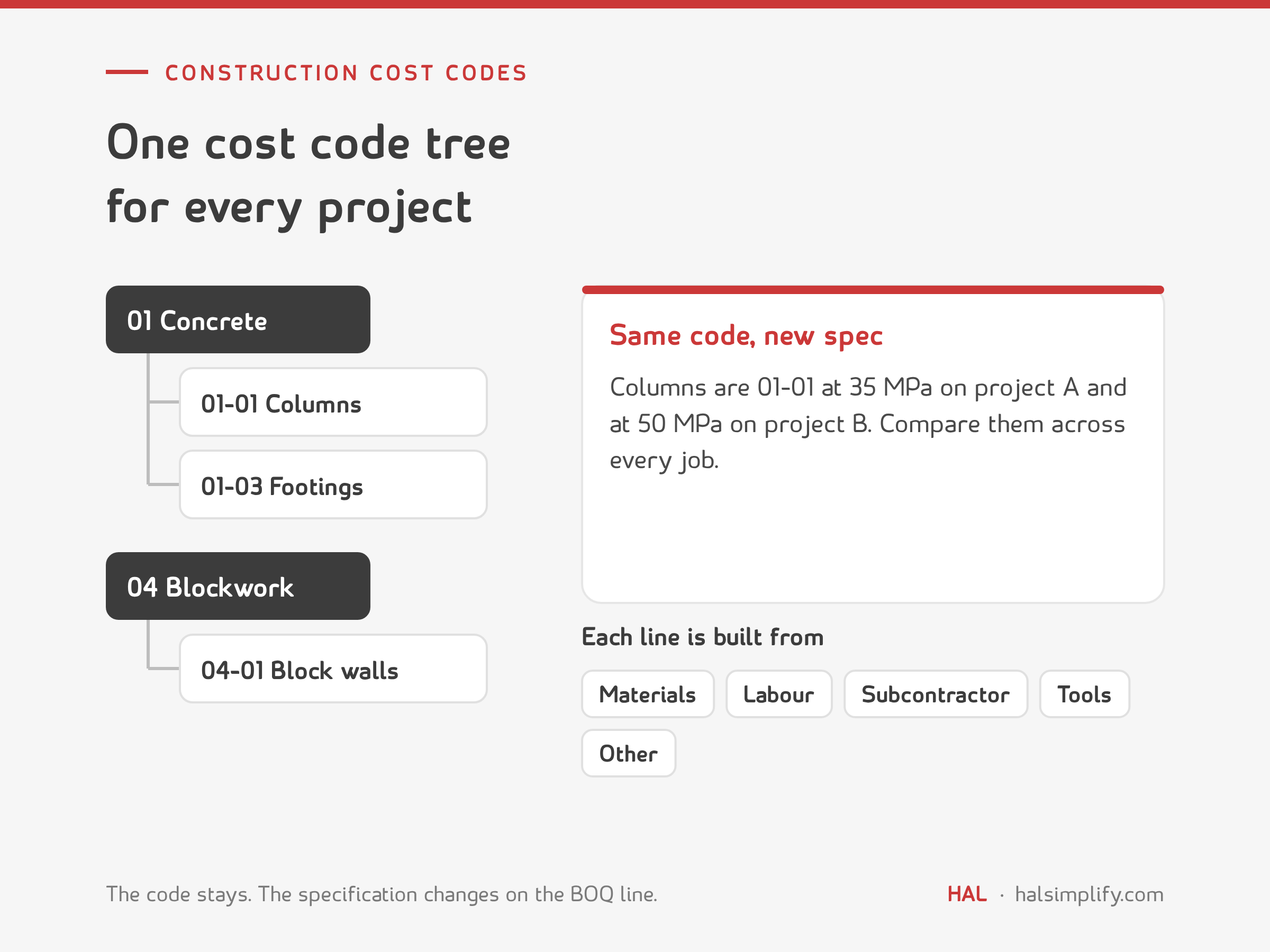
The code stays the same from project to project; the specification changes on the BOQ line. Columns are 01-01 whether the mix is 35 MPa on one job or 50 MPa on the next. That is how you compare the cost of columns across five projects. As the contractor's team put it, "the whole company works on this code."
Each BOQ line is then built up from five cost types: materials, labour, subcontractor, tools and other (tests, curing and similar). A request draws on the cost type it belongs to, so a materials request cannot quietly use the labour allowance.
One rule does most of the work:
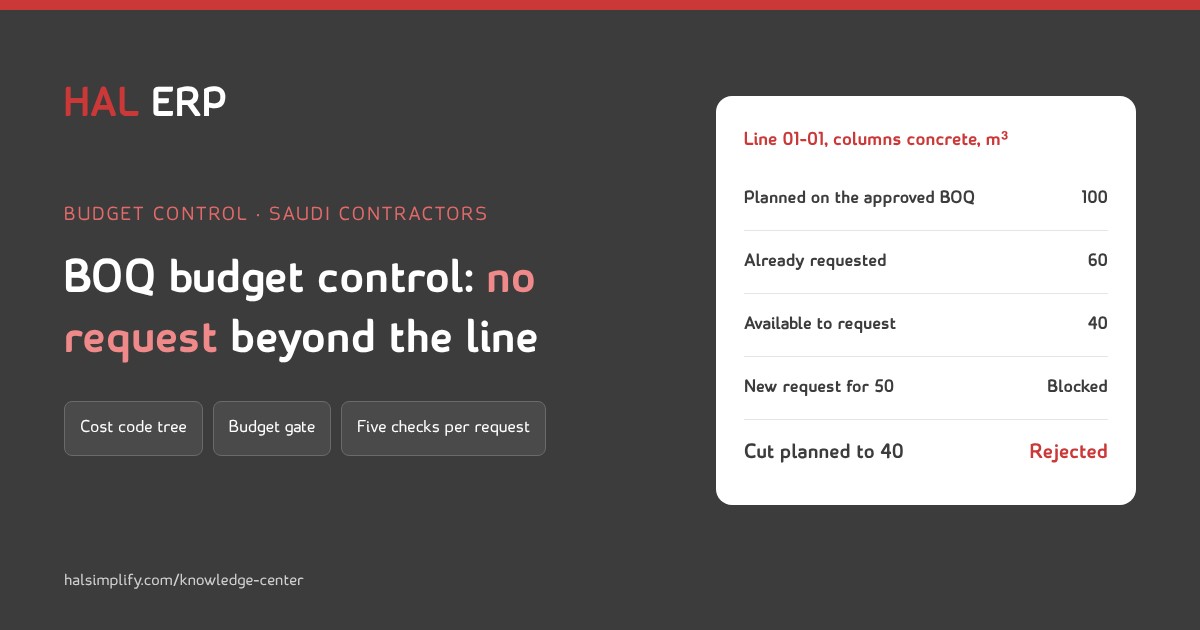
A request can only pick an approved BOQ line, and requested quantity ≤ planned quantity − quantity already requested on that line.
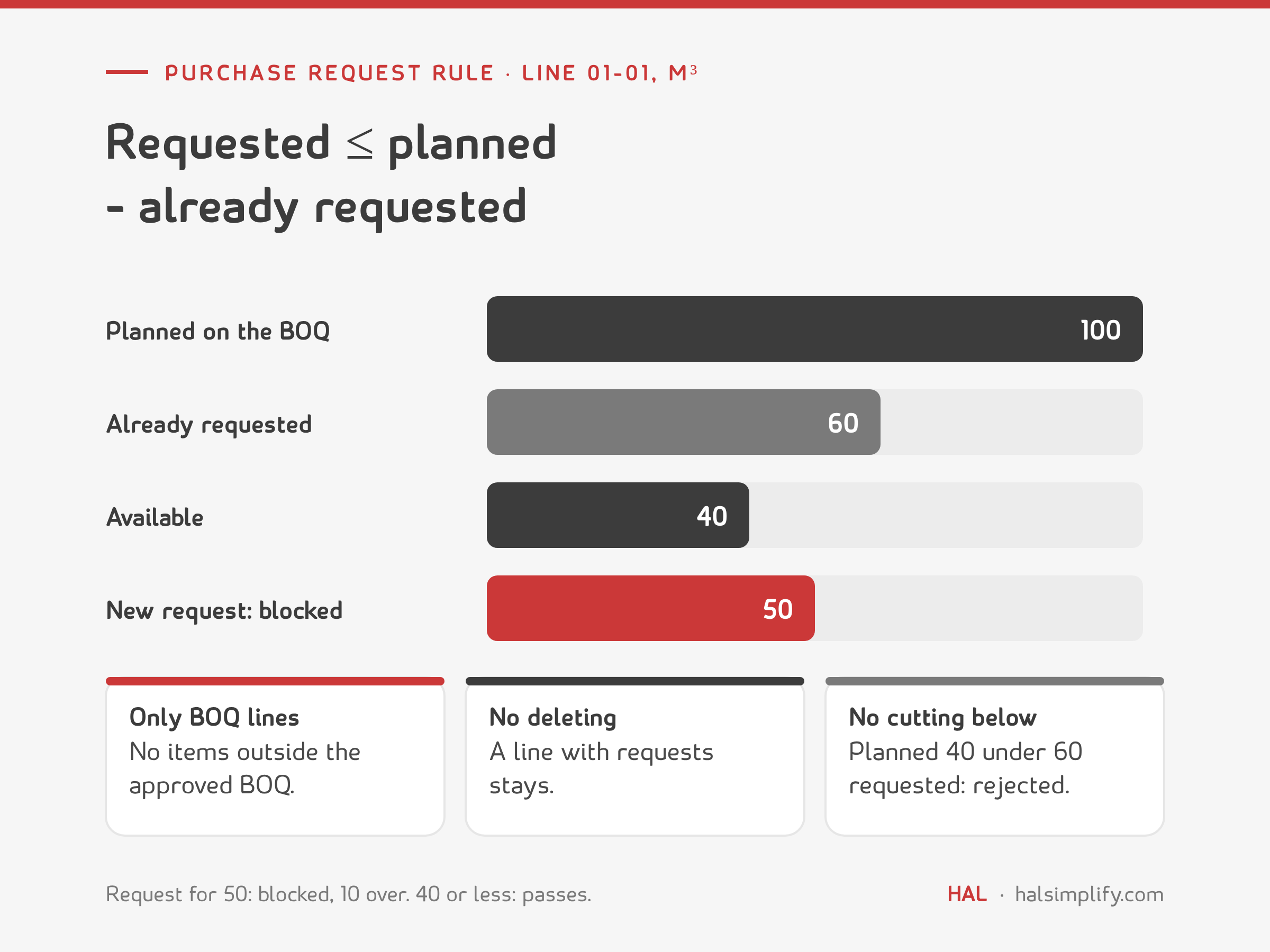
| Line 01-01, columns concrete | Quantity (m³) |
|---|---|
| Planned on the approved BOQ | 100 |
| Already requested (not rejected) | 60 |
| Available to request | 40 |
| New request for 50 | blocked: 10 over |
| Attempt to cut planned to 40 | rejected: below the 60 already requested |
Three more rules close the loopholes:
One BOQ line can still have several purchase orders. On one tower, 20,000 m² of porcelain was split into 15,000 m² from the manufacturer and 5,000 m² from a distributor. Both orders draw from the same line, and the rule counts both.
The rule stops the obvious overrun. The approval chain stops the rest:
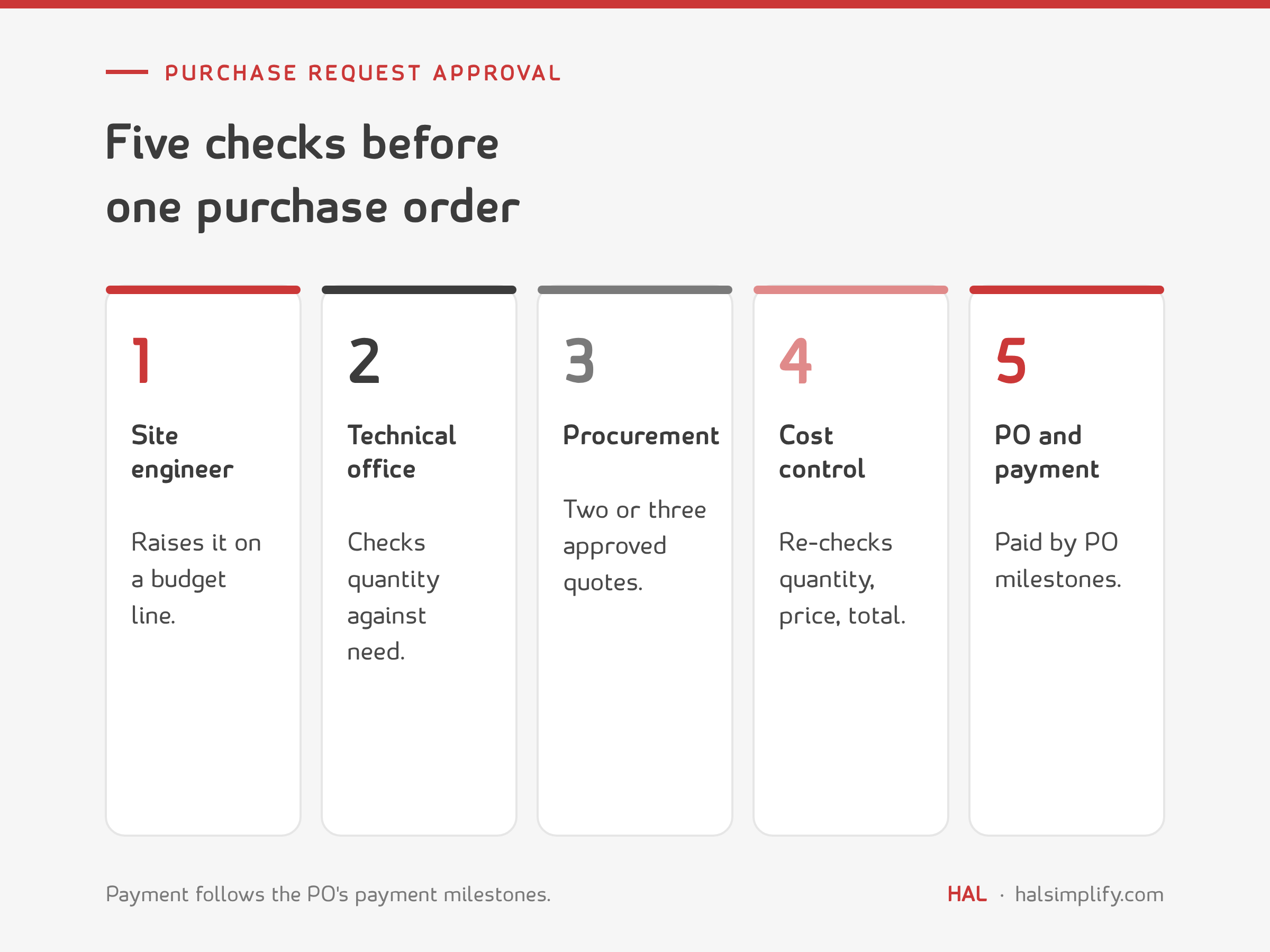
Two details make the chain stronger. Free-text payment terms ("50/50", "70/30", "advance") are replaced by mandatory payment milestones on the PO. And a supplier with no VAT number and no commercial registration on the vendor master cannot be paid. Our guide to how purchase orders work covers the PO itself.
Go back to the cable tray. The budget said 1,000 m and the take-off said 1,200 m. The gate is where that is caught: when the technical office breaks the line into real quantities, the analysis sits next to the budget and the difference is visible in month two, not month seven.
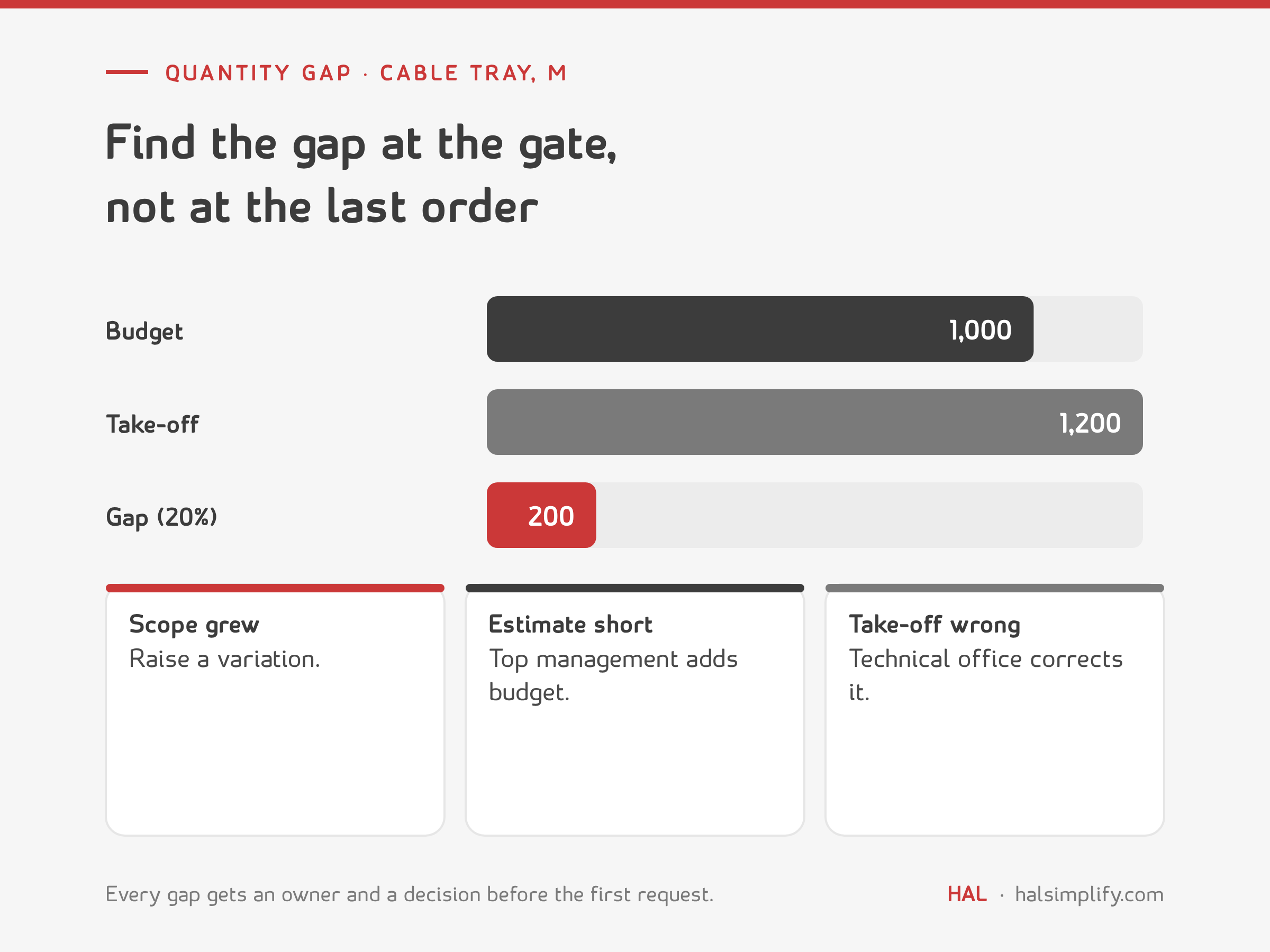
Then decide what the gap is:
Set a threshold so small differences do not swamp the review; flagging any line more than 5% apart is a reasonable start. What matters is that every gap has an owner and a decision before the first request, so the construction budget means what it says.
Every system has a way round its own controls: an UPDATE BOQ role, an administrator, a "budget override" setting for emergencies. That is normal. Leaving it unwatched is not. At one company, a user with a budget-bypass role cut a budget line and nobody noticed for a month.
The kit puts the gate and the rule into a workbook and a short guide:
In HAL Contracting, procurement sets a budget per budget reference and activity and ties every BOQ item to its activity. Purchase requests, purchase orders, stock issues and invoices all count against the activity as committed cost. Project admins see only their own projects, pick the BOQ and see how much of each item is left to order. A request that would break the BOQ or the budget is blocked, and it is checked again at the purchase order. RFQs go to several vendors with a side-by-side comparison, budget changes go through an approval workflow, and budget against actual is reported per project and cost centre with a variance report. See HAL pricing for the plans.
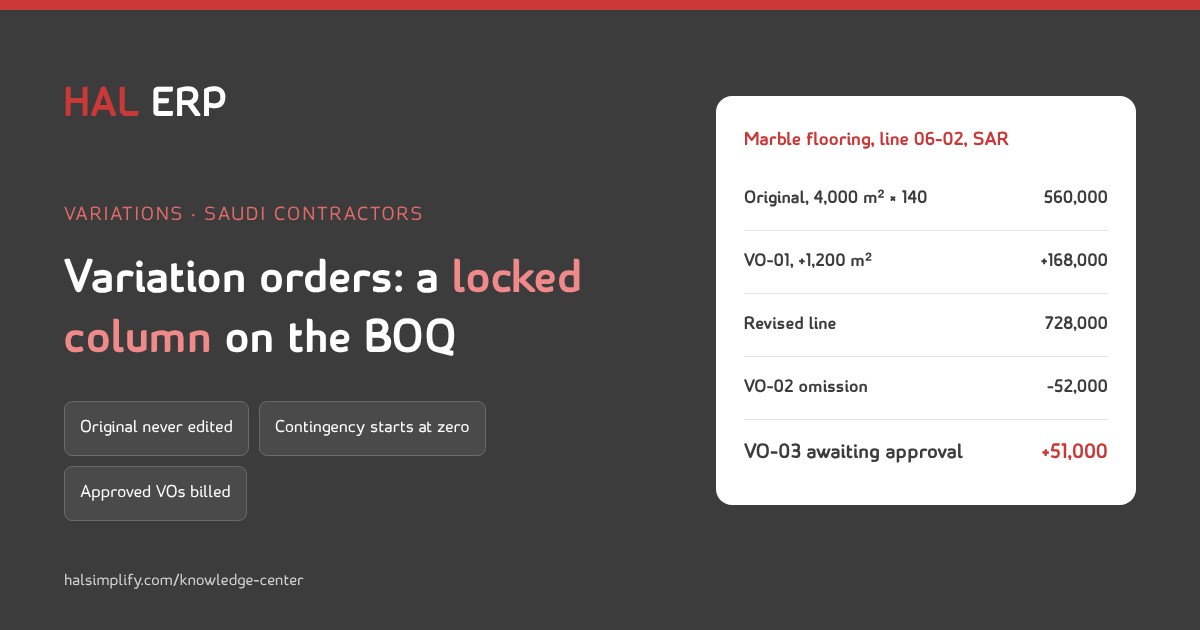
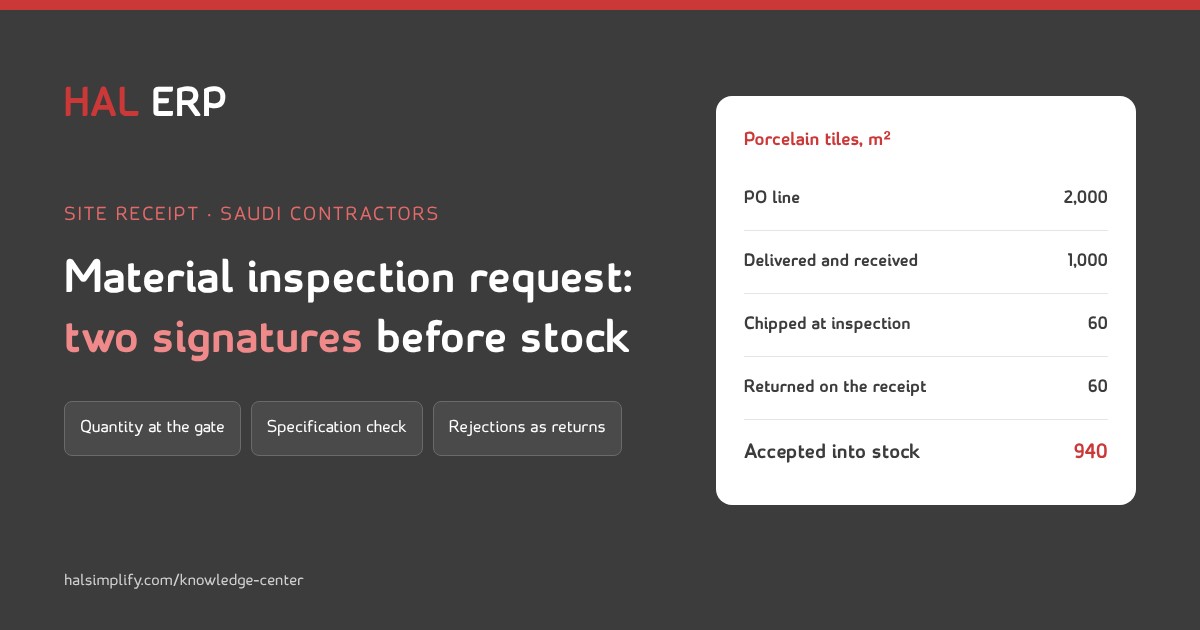
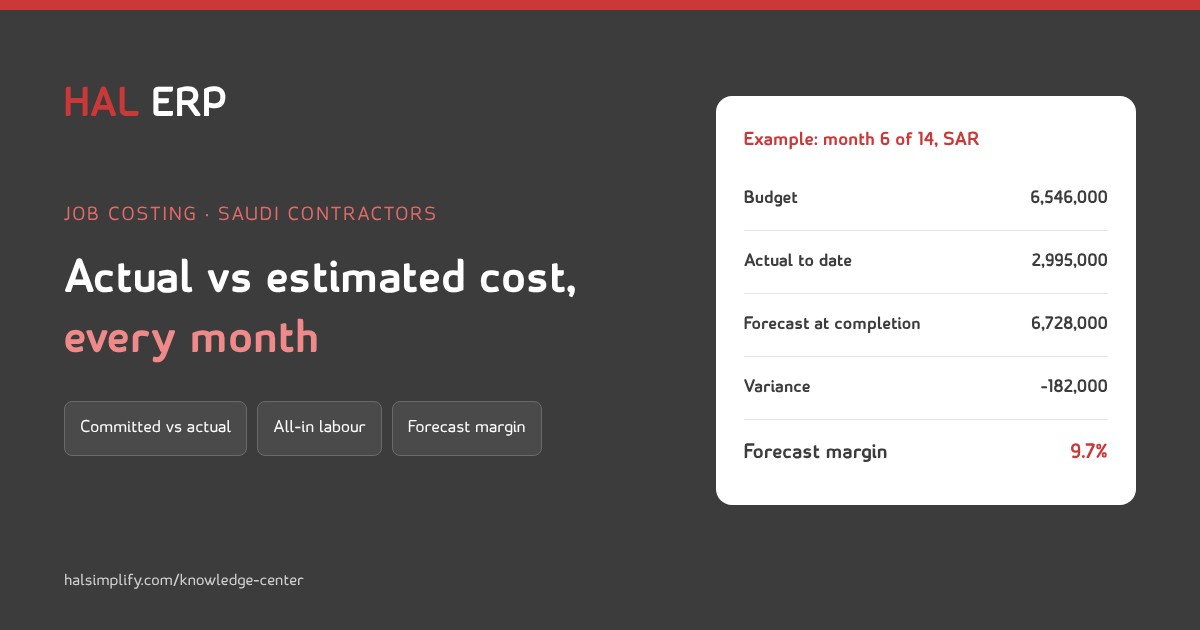
Related reading: variation orders on the BOQ, material inspection requests and two-step site receipt and job costing: actual vs estimated cost.
BOQ budget control ties every purchase to a line of the approved bill of quantities and its budget. Requests can only pick approved lines, can never ask for more than the line has left, and are checked again before the purchase order is issued.
Give every request a BOQ line and cost code, and check it with one rule: requested quantity must be no more than the planned quantity minus what is already requested on that line. Items that are not on the BOQ go through a variation or a budget addition instead.
The estimator prepares the budget, the technical office breaks each BOQ line into the materials and quantities it will consume, and cost control approves the final BOQ. Approval locks the BOQ and the budget, and only a separate, logged role can unlock a line.
Use one hierarchy for the whole company, with a trade at the top and elements below it, such as 01 concrete with 01-01 columns and 01-03 footings. Reuse the codes on every project and keep the specification on the BOQ line, so costs can be compared across jobs.
Find it at the gate, before anyone orders. If the client's scope grew, raise a variation. If the estimate was short, top management decides a budget addition. If the take-off is wrong, the technical office corrects it.
Because every bypass role can change a budget without going through the approval chain. At one company a budget line was cut by such a user and nobody noticed for a month. List the roles, log every change and read the log each month.